 SpecSheet
How it works
A record, not a readout.
SpecSheet reads a Windows PC as an ordinary user and writes down what it found, where each value came from, when, and what it could not read.
Three steps at the bench
Run it on the PC
No admin password needed. Twelve of the sixteen sections read as an ordinary user. The other four are collected only if you press the button and accept one Windows prompt.
Add your notes
Scuff on the lid, charger in the box. Marked as yours, kept apart from what was measured.
Keep the record
Save it with the sale, print it, or hand the customer a copy. It is dated and on file.
The four arguments, settled
Every shop hears them. Each one has a line on the report that answers it. These are from a real scan of a Dell Latitude 5430.
“The battery was dead when I bought it.”
GOOD · 88.3% of its original capacity51,240 of a 58,003 design capacity142 charge cycles, on the dated report
“You swapped my parts.”
16 GB · reported as 171798691842 × Samsung M425R1GB4BB0-CQKOL512 GB KIOXIA, its serial on file
“It was not as described.”
Scanned 16 October 2026, 09:4268 of 98 facts, each with its sourceattach the file to the claim
“It wasn't Windows 11 ready.”
64-bit, 16 GB, 512 GB, UEFI: passedTPM 2.0: needs administrator rightsprocessor: not checked, and it says so
Readout or record
A screenshot is not a record.
A free tool's readout
Battery: 88%
RAM: 16 GB
Disk: OK
No date. No source. Which machine?
SpecSheet-WORKSHOP-04-2026-10-16.htmlON FILE
- Battery health
- GOOD 88.3%, full-charge over designpowercfg.exe /batteryreport · DesignCapacity
- Installed memory
- 16 GB, reported as 17179869184root\CIMV2\Win32_PhysicalMemory.Capacity
- Disk 0 serial
- Hidden: 12 characters, letters and digitsroot\CIMV2\Win32_DiskDrive.SerialNumber
- TPM
- TPM 2.0, presenttbs.dll!Tbsi_GetDeviceInfo
Inside a real report
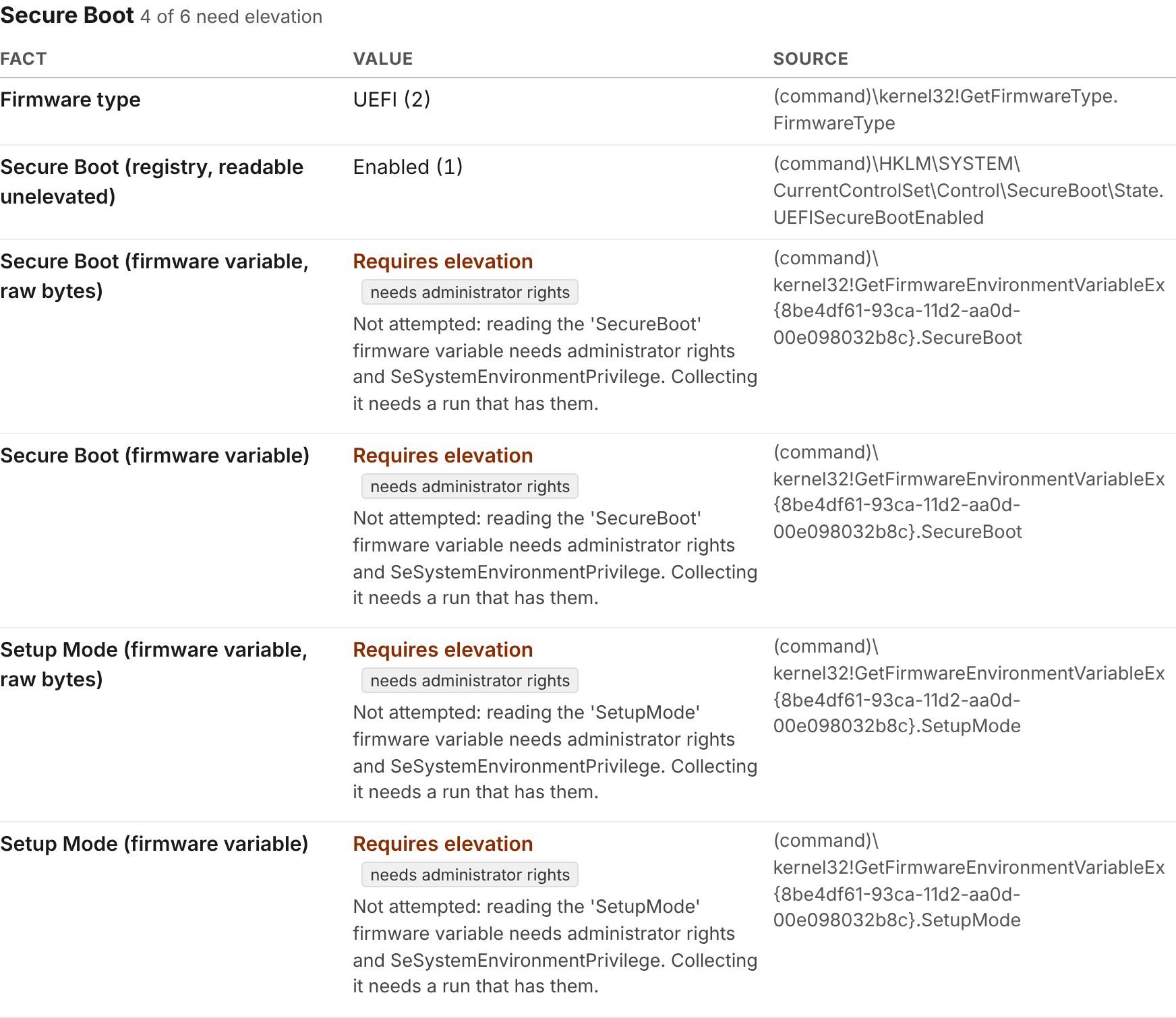
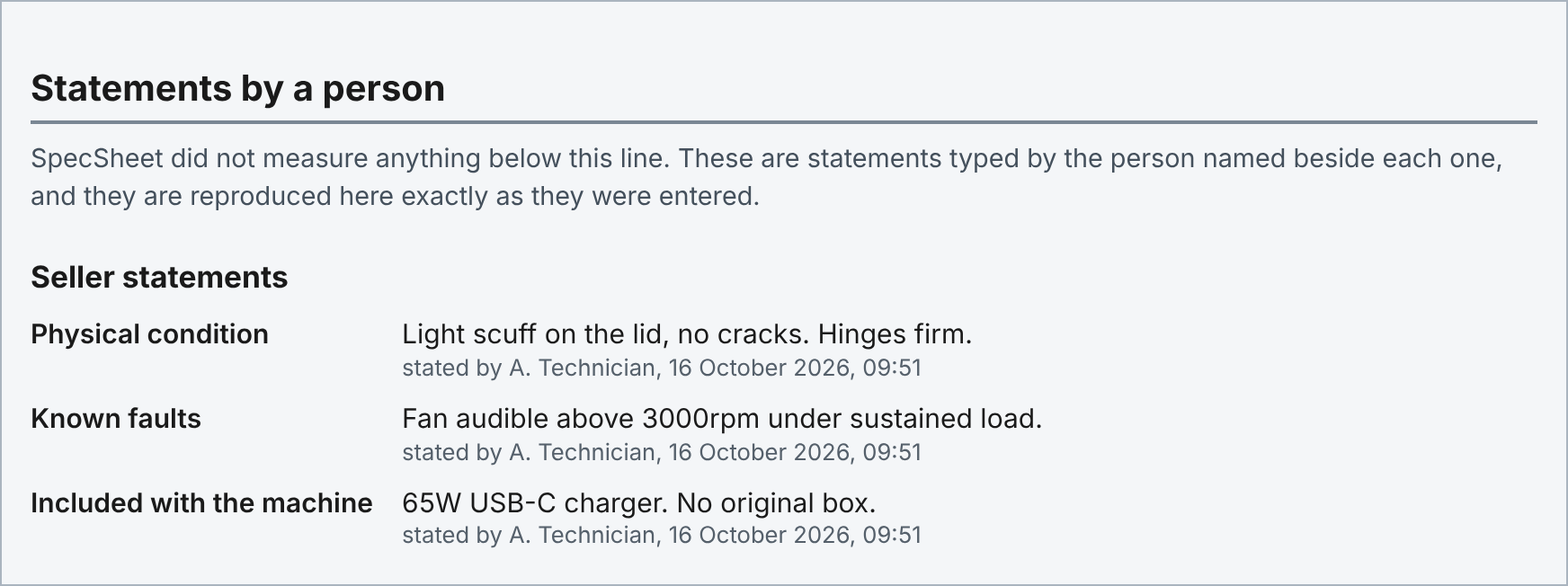
Four Secure Boot readings needed administrator rights, so the report says that, fact by fact, instead of printing a tick. Your own notes sit in a block of their own, marked as statements by a person.
Try it on the next PC that comes in.
Download free Email me the link